To compare two scanned PDFs, you first have to turn their pictures of text into real, selectable text — and that job belongs to an OCR (Optical Character Recognition) tool. The tool you pick decides how clean that text is, and clean text means a clean comparison. This guide rounds up the best OCR tools for scanned PDFs in 2026, what each is good at, roughly what they cost, and how to choose — then how to compare the extracted text once you have it.
Quick note up front: TextCompareo compares the text you give it; it does not run OCR on images itself. So the workflow is two steps — OCR the scan into text with one of the tools below, then paste that text into TextCompareo to see exactly what changed. Our guide to comparing scanned PDFs walks through that second step in detail.
Why the OCR Tool You Choose Matters
OCR is never perfect, and its mistakes carry straight into your comparison. If the engine misreads a 1 as an l or an O as a 0, those errors show up as "differences" that were never really there. A more accurate OCR tool means fewer false differences and less proofreading later.
Accuracy is not the only factor. Some documents are simple paragraphs; others are dense with tables, forms, or handwriting. Some files are confidential and should never leave your computer. The right tool depends on all of this — which is why there is no single "best" OCR for everyone.
The 2026 OCR Landscape: Open vs. Managed
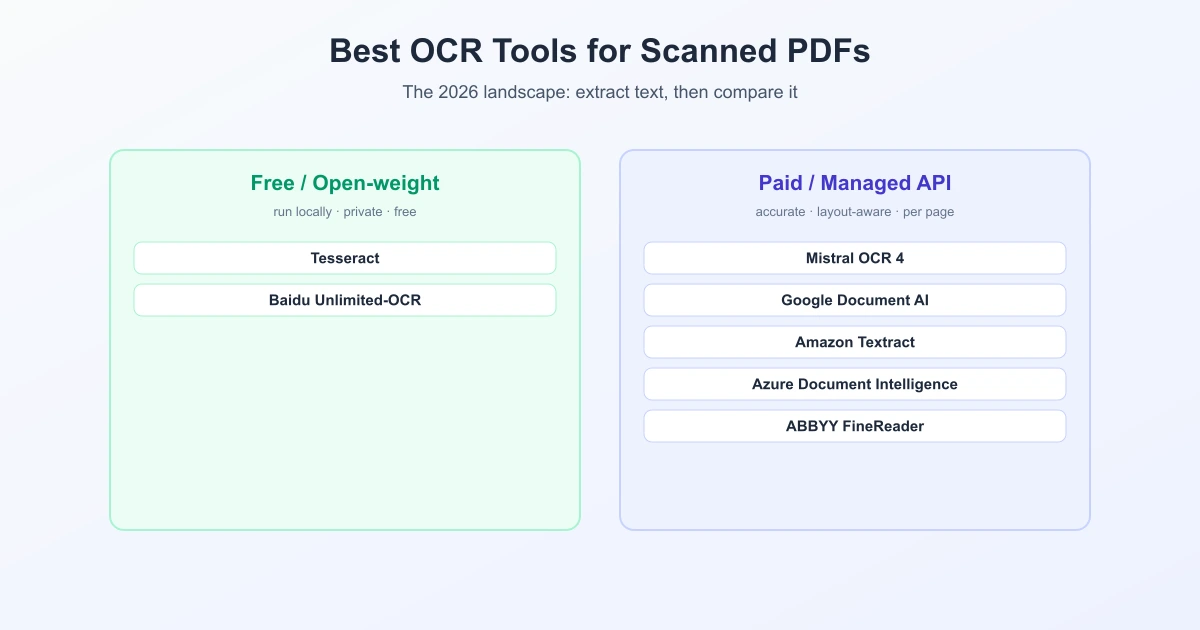
In 2026 the field has split into two camps. On one side are free, open-weight engines you run yourself — no per-page fee, full privacy, but you handle the setup. On the other are paid managed APIs from big cloud providers — fast, accurate, layout-aware, but your document is uploaded and you pay per page. Knowing which camp fits your needs narrows the choice quickly.
Best OCR Tools for Scanned PDFs Compared
| Tool | Type | Rough cost | Best for |
|---|---|---|---|
| Tesseract | Free, open-source (offline) | Free | Private, local text extraction; 100+ languages |
| Baidu Unlimited-OCR | Free, open-weight (MIT) | Free (self-hosted) | Self-hosting on your own GPU, no vendor lock-in |
| Mistral OCR 4 | Paid API (Mistral AI) | ~$4 / 1,000 pages | Structured output with per-word confidence and layout |
| Google Document AI | Paid API (Google) | from ~$1.50 / 1,000 pages | Forms and handwriting, high volume |
| Amazon Textract | Paid API (AWS) | from ~$1.50 / 1,000 pages | Tables and forms inside the AWS ecosystem |
| Azure Document Intelligence | Paid API (Microsoft) | per page | Prebuilt models, Microsoft/Azure shops |
| ABBYY FineReader | Paid desktop/enterprise | ~$14–24 / month | High-accuracy desktop use and handwriting |
Prices are approximate 2026 figures and change often; always check the provider's current pricing.
How to Choose the Right One
- The document is confidential. Keep it local — use Tesseract or Baidu Unlimited-OCR. Nothing is uploaded, so signed contracts and IDs stay on your machine.
- You need clean, structured output at scale. A managed API like Mistral OCR 4, Google Document AI, or Amazon Textract gives layout-aware, accurate results with little setup.
- The scan has lots of tables. Amazon Textract is known for the strongest native table extraction.
- The document is handwritten. ABBYY FineReader and Google Document AI tend to lead on handwriting recognition.
- You just need a few pages, occasionally. Free tools like Tesseract, or opening the PDF with Google Docs, are plenty — no need to pay.
After OCR: Compare the Extracted Text
Once your OCR tool has produced text, the comparison itself is quick and private. Paste the extracted text from each document into TextCompareo and it highlights every added, removed, and changed word — no upload, nothing stored. Two tips carry over from any OCR job:
- Use the same OCR tool for both files. Consistent errors on both sides tend to cancel out, so the diff shows real edits, not tool-to-tool noise.
- Turn on "Ignore Extra Whitespace" so spacing and line-break quirks from OCR do not register as changes.
For the full step-by-step, see how to compare scanned PDFs using OCR.
What Happens Next
The open-versus-managed split is likely to widen. Open-weight models such as Baidu's give privacy-conscious teams a real free option, while managed providers keep pushing accuracy, structured output, and handwriting. For anyone who mainly needs to compare scanned documents, the good news is simple: OCR keeps getting better and cheaper, so the text you feed into a comparison gets cleaner every year.
Frequently Asked Questions
What is the best OCR tool for scanned PDFs?
There is no single best — it depends on your needs. For private local work, Tesseract is the top free choice; for accurate structured output at scale, managed APIs like Mistral OCR 4, Google Document AI, or Amazon Textract lead; for handwriting, ABBYY FineReader and Google Document AI stand out.
What is the best free OCR tool?
Tesseract is the most established free, open-source OCR engine and runs entirely offline, which also makes it the most private. Baidu's open-weight Unlimited-OCR is another free option you can self-host. Opening a PDF with Google Docs also extracts text for free.
Do I need OCR to compare two scanned PDFs?
Yes. Scanned PDFs are images with no text layer, so there is nothing to compare until OCR turns them into text. After OCR, paste the text into a tool like TextCompareo to see the differences.
Which OCR is best for confidential documents?
A local, offline engine like Tesseract or a self-hosted model like Baidu Unlimited-OCR, because the file never leaves your machine. Avoid online OCR uploaders for sensitive contracts, IDs, or records.
How much does OCR cost in 2026?
Free tools like Tesseract cost nothing but need setup. Managed cloud APIs typically run from about $1.50 per 1,000 pages for raw text (Google Document AI, Amazon Textract) up to more for forms and tables; Mistral OCR 4 is around $4 per 1,000 pages. Prices change, so check current rates.
Does TextCompareo do OCR?
No. TextCompareo compares digital text and does not run OCR on images. Extract the text with one of the OCR tools above, then paste it into TextCompareo to compare the versions.
Sources
- VentureBeat — Mistral launches OCR 4
- LlamaIndex — Best OCR API (2026)
- Braincuber — AWS Textract pricing (2026)
Related Reading
Compare Your Extracted Text
OCR your scanned PDFs, then paste the text here to see every change in seconds. Free, private, no signup.
Open TextCompareo