The histogram diff algorithm is a faster, refined version of patience diff. Like patience, it lines two files up on their most distinctive lines instead of on interchangeable braces and blanks — but it picks those anchor lines by how rare they are, not only whether they are perfectly unique, and it does so more efficiently. The result is a diff that is usually as readable as patience and often quicker to compute, which is why research on Git recommends it for source code.
First, a Quick Bit of Context
Git's default diff is still the Myers algorithm — histogram is not the default, but it is one of the options you can switch to. To see why histogram exists, you have to know the one before it: patience diff.
Patience solved a real problem. Myers finds the shortest edit script, but in code it can match up meaningless lines (a lone }, a blank line), producing tangled diffs. Patience fixed that by anchoring only on lines that are unique in both files — like function signatures — and diffing the gaps between them. Histogram takes that same idea and makes it both smarter and faster.
How Histogram Diff Works
The name is the clue. Histogram builds a histogram — a count of how many times each line appears in the file — and uses those counts to choose the best anchor lines. Its process:
- Count line occurrences. Scan the first file and record how often each line appears (that is the histogram).
- Prefer the rarest matches. Walk through the lines and find matches between the two files, favouring lines with the lowest occurrence count. A line that appears once is the best anchor; a line that appears twenty times is nearly useless.
- Build the anchor sequence. From those low-occurrence matches, it forms the longest common subsequence to use as anchor points.
- Recurse on the gaps. Just like patience, it splits the files at the anchors and repeats on each section.
The key difference from patience: patience uses only lines that are perfectly unique (appear exactly once in each file). Histogram is more flexible — it ranks lines by frequency and will use the rarest available lines even when nothing is perfectly unique. When unique lines do exist, histogram behaves just like patience. It simply has more anchors to work with, and its histogram makes finding them fast.
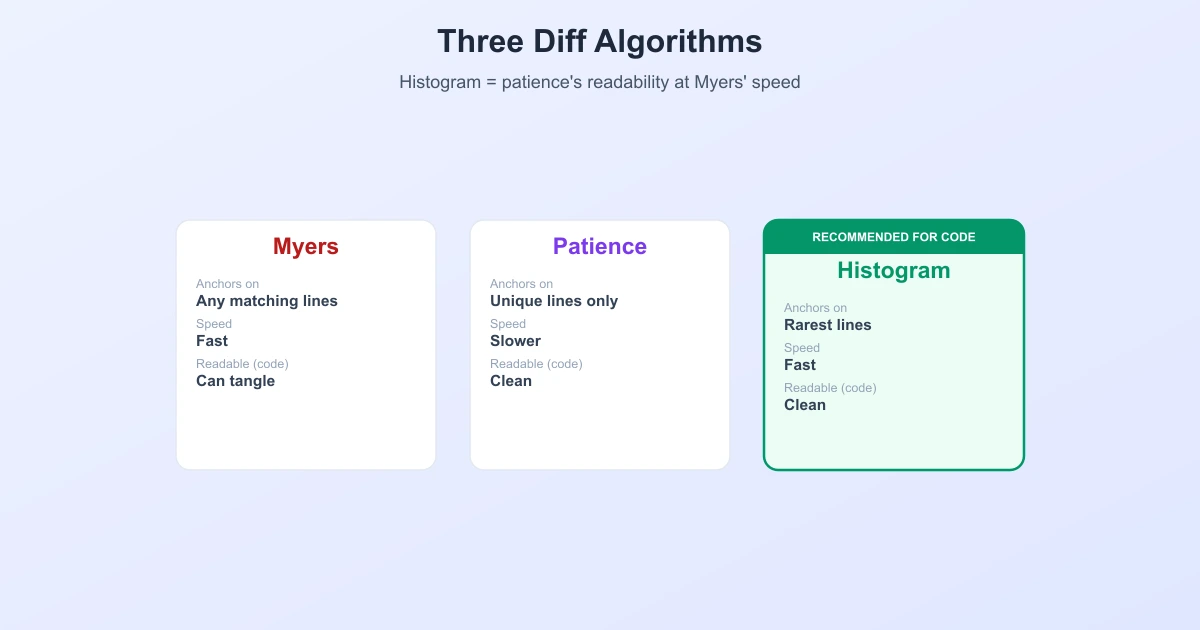
Myers vs. Patience vs. Histogram
| Myers | Patience | Histogram | |
|---|---|---|---|
| Anchors on | Any matching lines | Perfectly unique lines | Rarest matching lines |
| Readability (code) | Can tangle | Good | Good |
| Speed | Fast | Slower | Fast |
| In Git | --myers (default) | --patience | --histogram |
In short: histogram aims for patience-level readability at Myers-level speed. That combination is exactly why it is a popular choice for reviewing code.
When and How to Use Histogram
A well-known empirical study of Git diff algorithms concluded, plainly, that you should prefer --histogram for code changes, because it tends to produce more meaningful, better-aligned diffs than the default Myers. To use it:
# one-off
git diff --histogram

# make it your default
git config --global diff.algorithm histogram
For prose, logs, or data, the default Myers is perfectly fine — those lines are already distinctive, so the anchor problem never really shows up. Histogram earns its keep mainly on structured source code.
Where Histogram Came From
Histogram was written by Shawn O. Pearce for JGit (the Java implementation of Git) as a faster take on patience, and it landed in Git itself in version 1.7.7. So although it feels like the "newest" of the three, it is really patience's idea rebuilt for speed — the same goal of anchoring on meaningful lines, reached more efficiently.
The Same Foundation Underneath
Myers, patience, and histogram can look like three rival algorithms, but they all chase the same target: the longest common subsequence of the two files. Myers computes it directly and cheaply; patience and histogram compute it on a curated set of anchor lines first, then fill in the gaps. Whether you are running git diff or you compare text online, that shared LCS core is what turns two versions into a clean list of changes.
Frequently Asked Questions
What is the histogram diff algorithm?
It is a diff algorithm that aligns two files on their rarest matching lines, chosen using a histogram of how often each line appears. It is a faster, refined version of patience diff and produces readable diffs, especially for source code.
Is histogram the default diff algorithm in Git?
No. Git's default is still Myers. Histogram is an option you enable with git diff --histogram or by setting diff.algorithm histogram in your config.
What is the difference between histogram and patience diff?
Patience anchors only on lines that are perfectly unique in both files. Histogram ranks lines by how rare they are and can anchor on the least-frequent lines even when none are perfectly unique — and it does this faster. When unique lines exist, the two behave the same.
Should I use histogram or Myers?
For source code, histogram usually gives cleaner, more meaningful diffs — an empirical study on Git recommends it for code. For prose, logs, and data, Myers (the default) is fast and works just as well.
How do I enable histogram diff in Git?
Run git diff --histogram for a single command, or set it permanently with git config --global diff.algorithm histogram.
Is histogram faster than Myers?
It is comparable and often faster in practice for typical code changes, while producing better-aligned output. It was added to Git largely because of its strong performance combined with patience-style readability.
Related Reading
Compare Two Versions Instantly
Paste two versions of any text or code and get a clean, word-level diff in seconds — free and private.
Try TextCompareo